Make the folder the experience
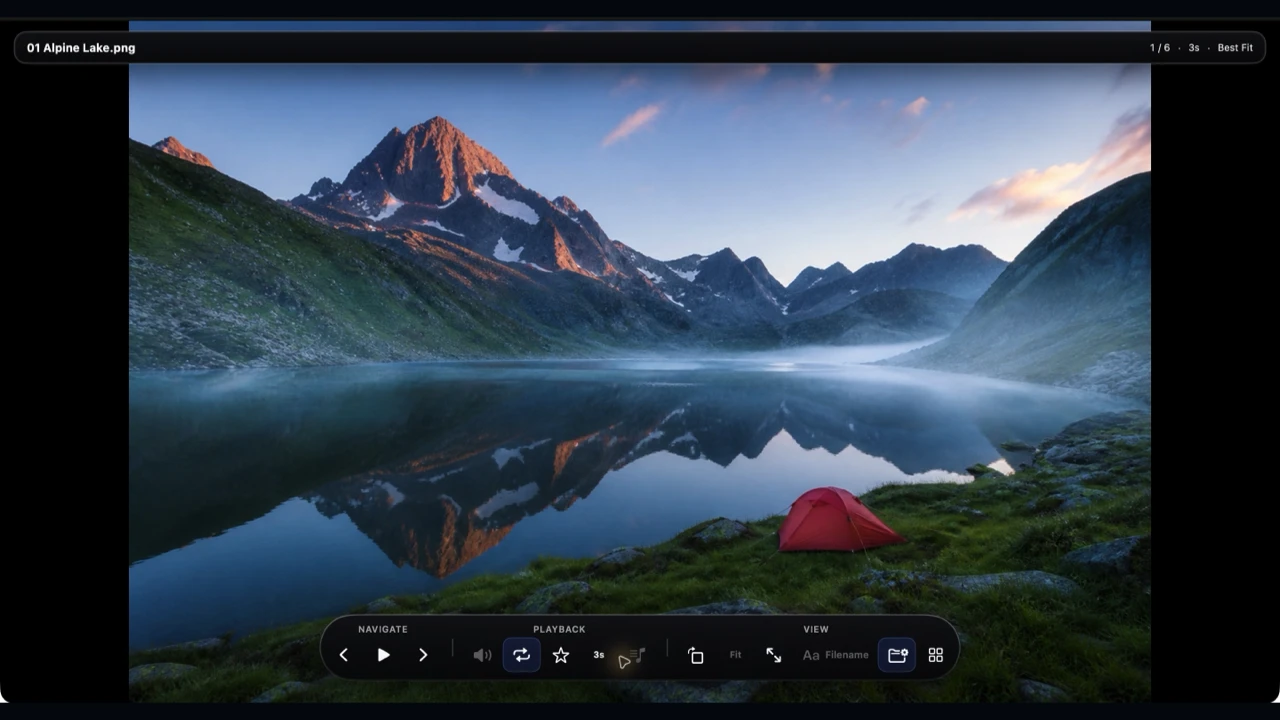
Open images and video straight from Finder. Move through subfolders in one focused flow, autoplay stills, play clips and present full screen.
Vistaro for Mac · Private Viewer & Image Compare
Open Finder folders and subfolders as an immersive image and video session, with autoplay for stills. Compare two image-folder versions to find changed, added and missing PNG/JPEGs down to the pixels.
No signup · No cloud copy · $4.99 USD once

One folder to enjoy. Two versions to trust.
Real Mac app screens, captured from build 91.
Real Vistaro 1.11.3 (build 91) screens from the current Mac App Store release.
Made for the folder you already have
Open images and video straight from Finder. Move through subfolders in one focused flow, autoplay stills, play clips and present full screen.
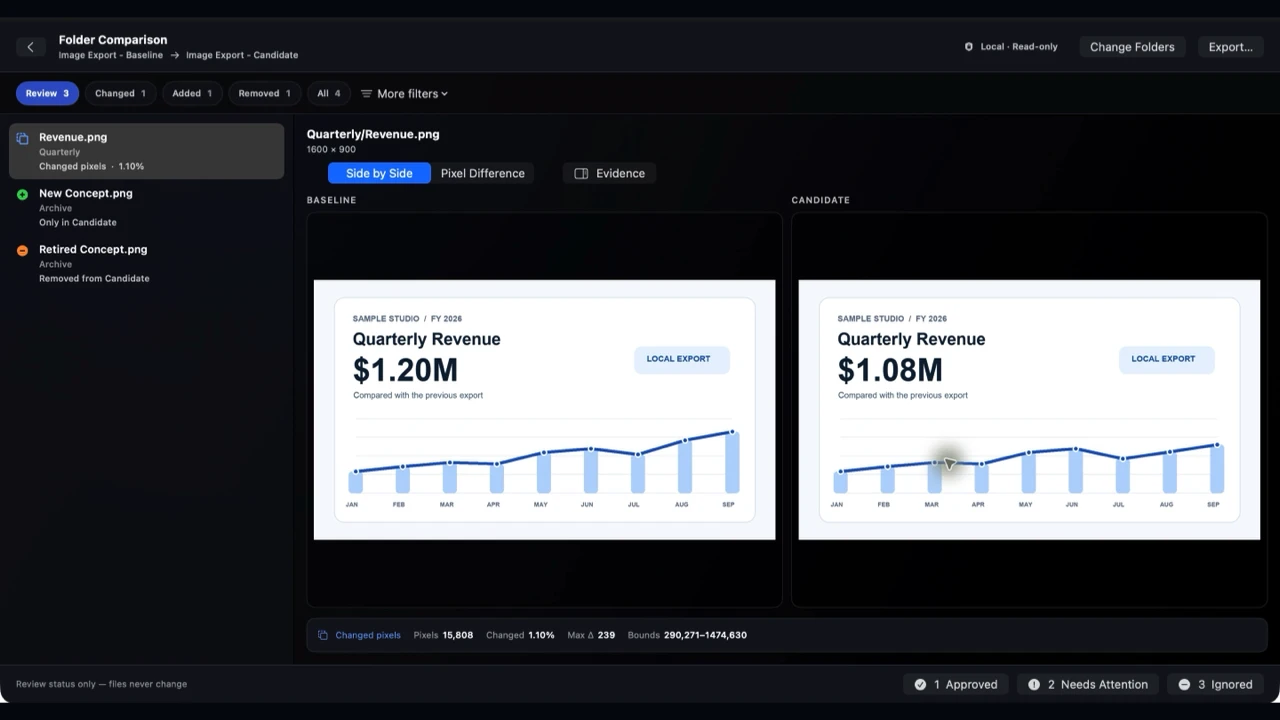
Compare two image folders. See changed, added and removed PNG/JPEGs, inspect matching pairs side by side and reveal their pixel differences.
No Vistaro account, media upload or cloud library. Viewing and comparison happen on your Mac, and the app leaves the original files untouched.
One folder · viewer
Your photos, videos and audio already live in Finder. Open the folder and step into a distraction-free, full-screen flow. Autoplay stills across nested folders, pause for a closer look, then play the next clip without building a library or exporting a presentation.
Open. Autoplay. Zoom. Present. Resume.
Two versions · image comparison
A new export arrives. Which chart changed? Did a screenshot go missing? Vistaro pairs PNG and JPEG images by their place in each folder, compares actual image pixels and surfaces the changed, added and removed files in one review queue. Open matching images side by side or inspect the pixel difference.
For screenshots, design exports, renders, charts and visual handoffs.
A closer look
Every capture below comes from the Mac app. Open any one at full size to see the controls and comparison results for yourself.
VIEW
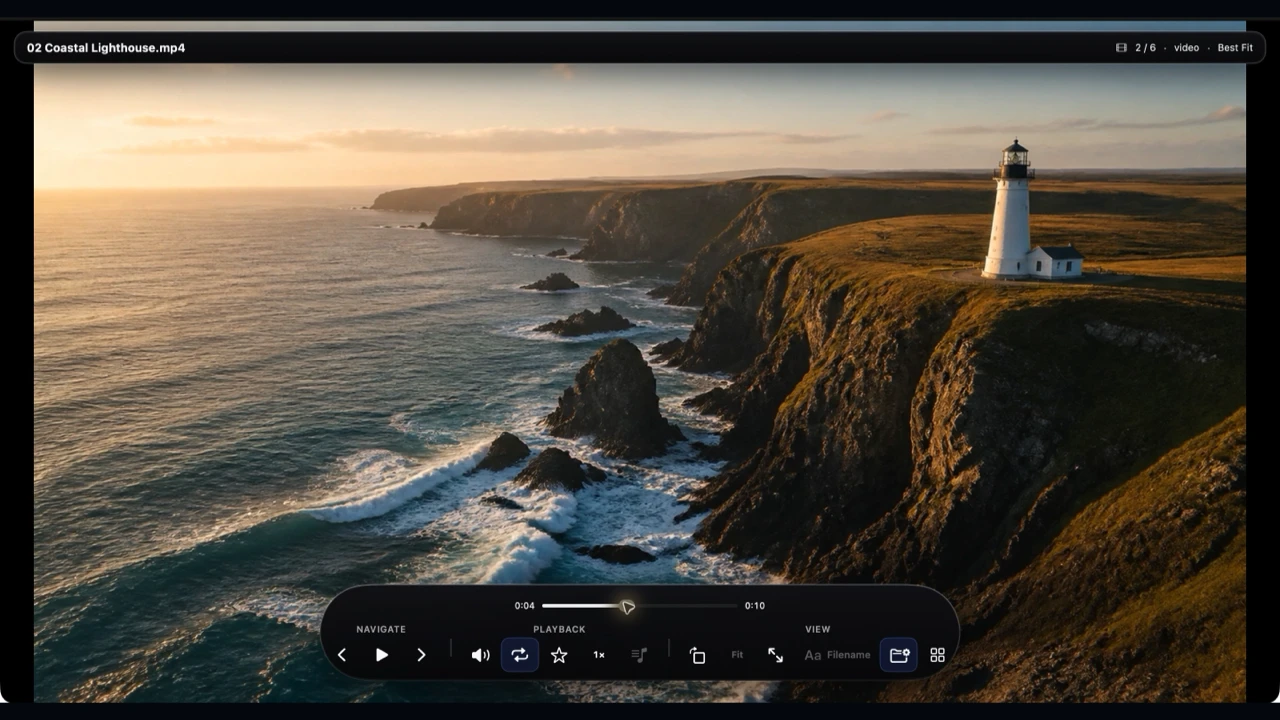
Play, scrub, mute and change speed without losing your place in the folder.
View full screenshot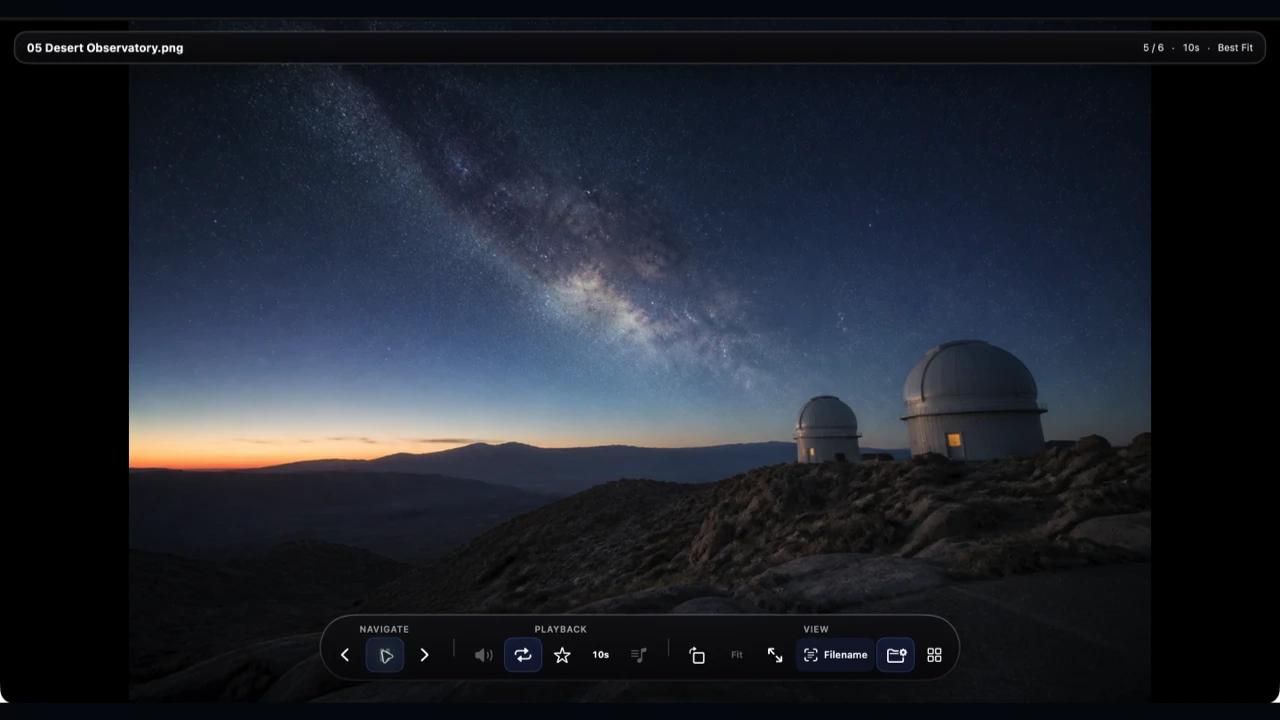
PLAY
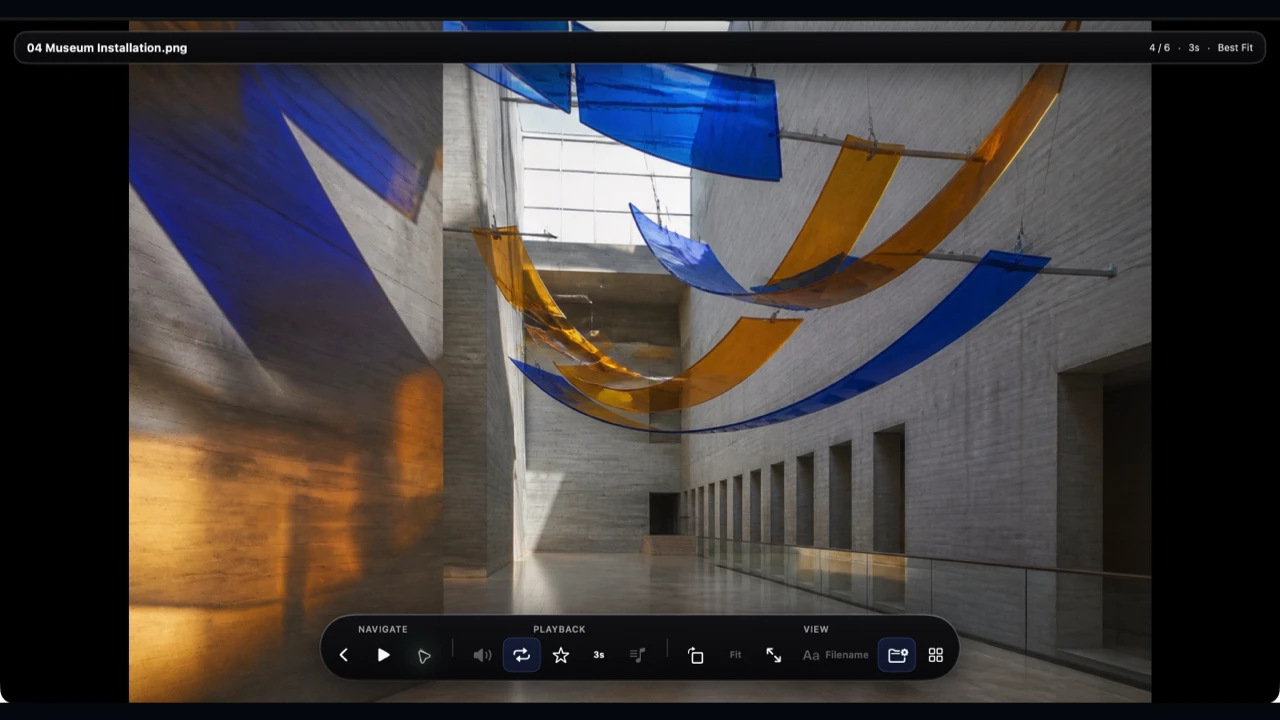
Set the interval once and let images advance through the folder and its subfolders.
View full screenshot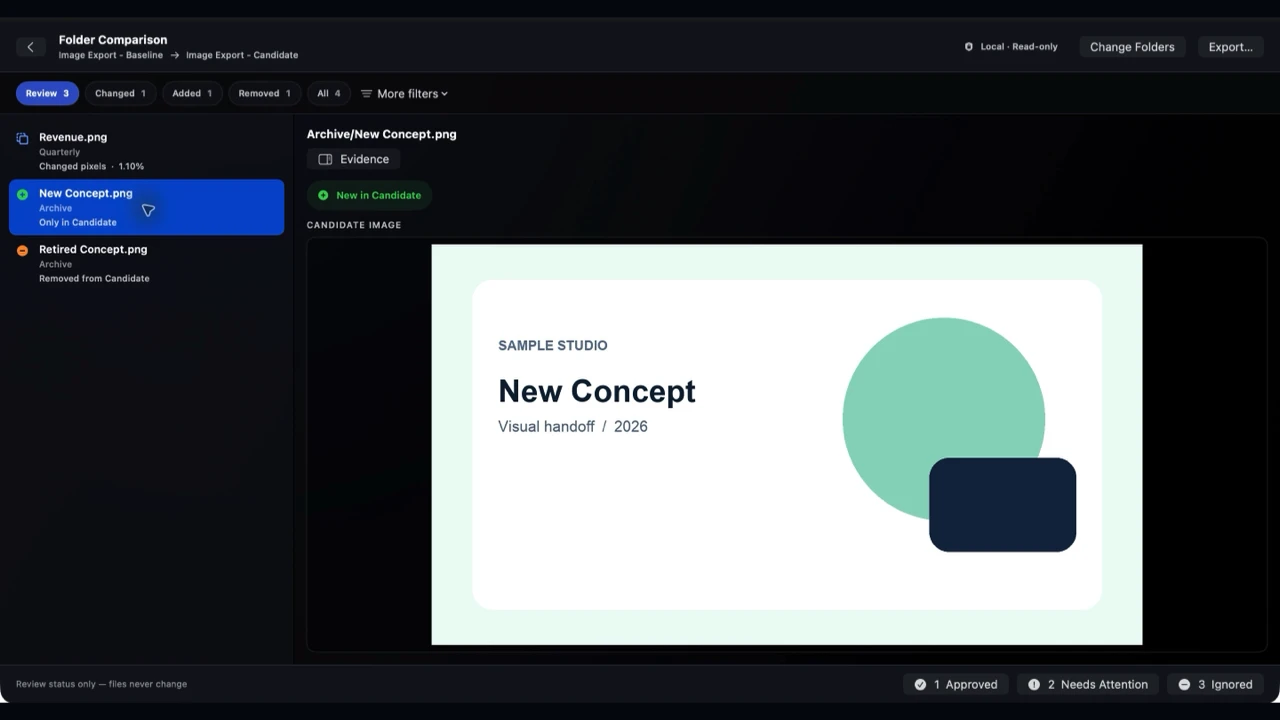
COMPARE
New images get their own review queue before you approve a revised batch.
View full screenshot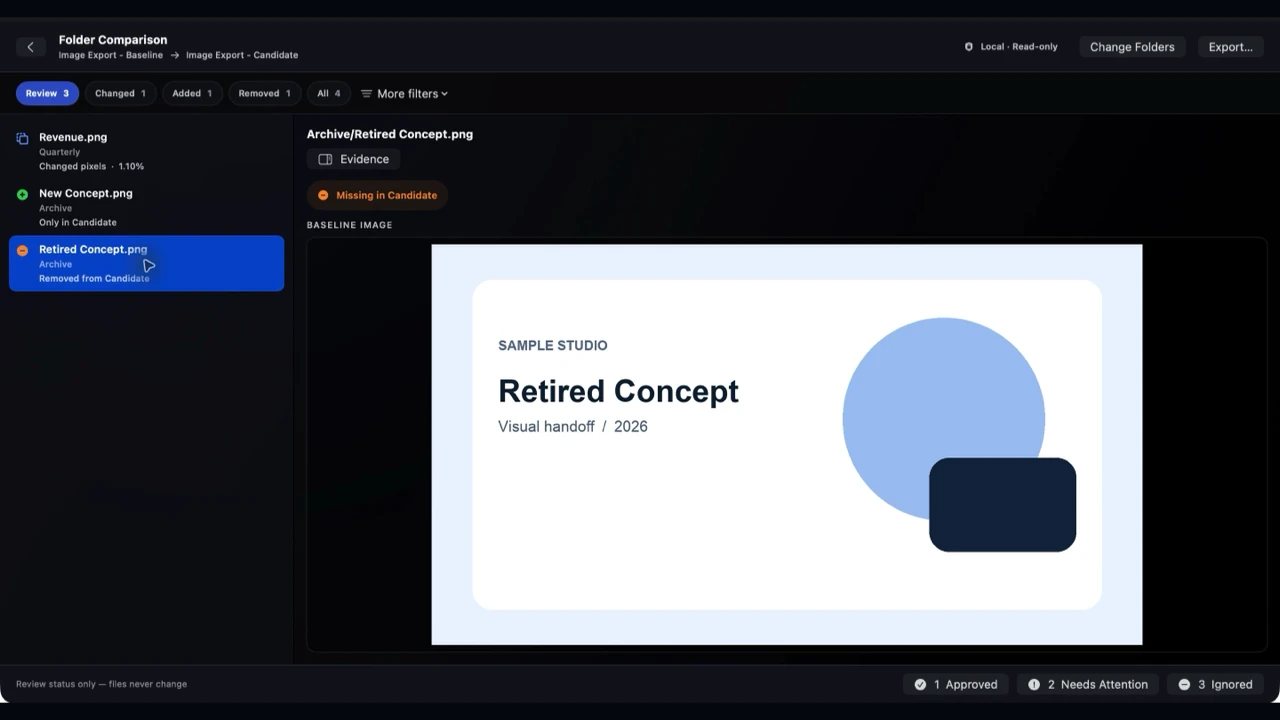
COMPARE
See images that were present in the baseline but absent from the new version.
View full screenshot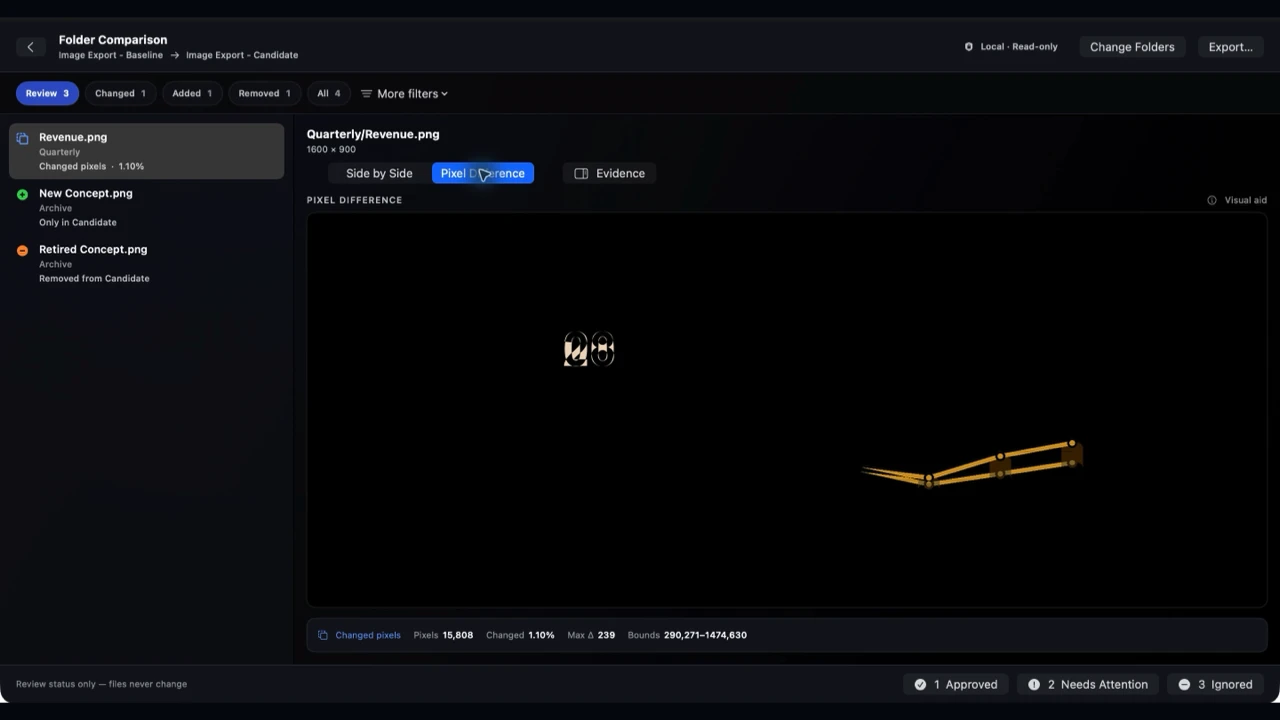
INSPECT
Open a matched pair's difference view and inspect what changed in the decoded image.
View full screenshot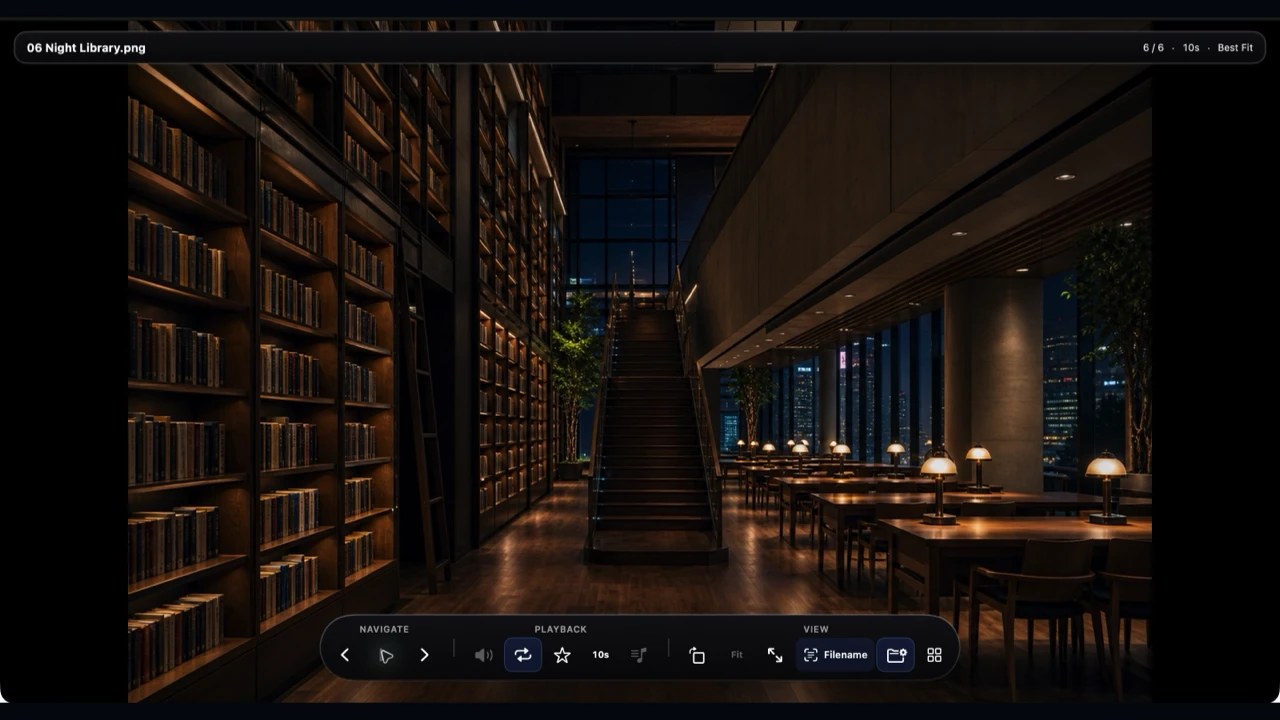
PRESENT
Keep the Finder structure you already made while you review or present the collection.
View full screenshotChoose a file or folder in Finder and start. Comparison is read-only: Vistaro saves review decisions separately and never changes the source images. There is no import step, Vistaro account or subscription to manage.
Vistaro does not upload your media to AuraBridge Systems or create a cloud copy. If you choose a folder already synced by another service, that service's own settings still apply. Read the privacy policy and terms and conditions.
FAQ
Yes. Open a file or browse a Finder folder and its subfolders as a full-screen playlist of supported images, video and local audio. Navigate by keyboard, autoplay stills, zoom into images, control video playback and resume a recent folder.
It checks the images. Vistaro pairs PNG and JPEG files at the same relative path in the Baseline and Candidate folders. For each pair it compares decoded pixels and dimensions, then shows changed or matching images. It also lists images found in only one folder. The result is more useful than a file-count check.
Compare two exports of screenshots, charts, designs or renders before a handoff. Find the image that changed, the one that was added and the one that disappeared. Open the original pair side by side and inspect the pixel difference before you approve or share the new batch.
The viewer plays video, but folder comparison currently covers PNG and JPEG images. It matches exact relative paths. A renamed or moved image appears as removed and added, even when its pixels are identical.
No. Core viewing and image comparison run locally. Vistaro does not upload your media to AuraBridge Systems or create a cloud copy. If you choose a folder already synced by iCloud Drive or another service, that service's own sync settings still apply. Exports and shares go only where you choose.
No. Folder comparison is read-only. Review decisions and optional exported reports are separate from the source images. Keep your own backups for any important work.
No. Choose the files or Finder folders you want to use. No Vistaro account or photo-library import is required for core viewing and comparison.
The current Mac app uses a dark interface for media viewing and comparison. It does not yet offer a light appearance option.
No. Vistaro focuses on supported image, video and audio files. PDF and SVG remain with the apps you use for those formats.
Yes. They show real Vistaro 1.11.3 (build 91) in use, the version now available on the Mac App Store. See the immersive viewer, video playback and image-folder comparison before you buy.
An immersive Mac viewer for images and video already in your Finder folders, with autoplay across subfolders, plus PNG/JPEG folder comparison for a revised batch. No Vistaro account, media cloud copy or subscription is required. The US Mac App Store price is currently $4.99; Apple shows your local price before purchase.
Enjoy images and video in one immersive flow, then check exactly which images changed in the revised folder. Yours for a one-time purchase, with your media staying on your Mac.
Get Vistaro for MacCurrent Mac App Store version: 1.11.3 · Apple shows your local price before purchase.